
Argo CD Deep Dive (Part 1): Architecture, Core Components, and GitOps Workflow
Understanding how Argo CD works under the hood before installing and running it in production.
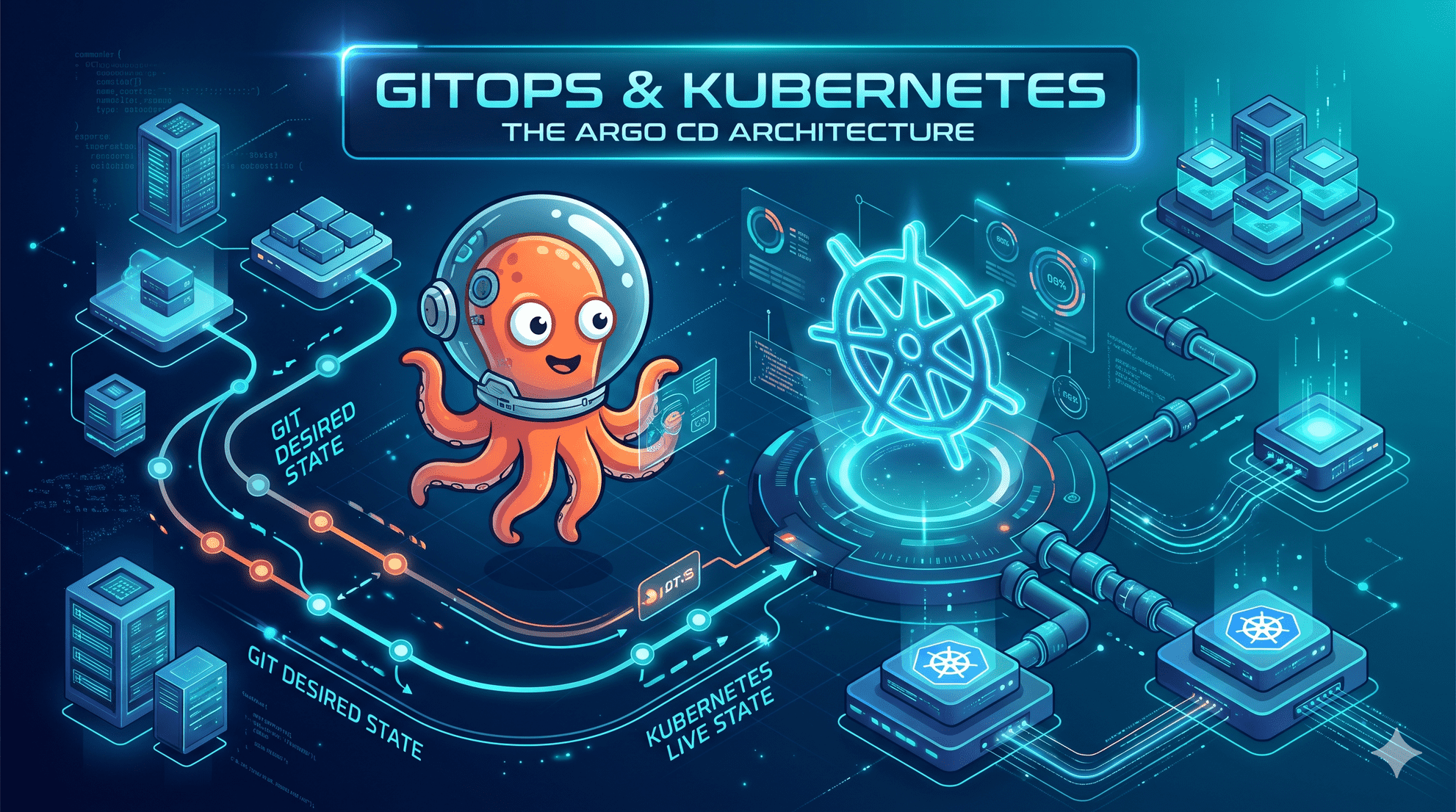
Managing Kubernetes deployments with manual kubectl apply commands or fragile CI push scripts works fine for a single cluster—until configuration drift, missed rollbacks, and multi-environment sprawl take over.
Argo CD solves this by treating Git as the single source of truth for your cluster state. In Part 1 of this series, we’ll focus on the fundamentals: how Argo CD works under the hood, its core control-plane components, how ApplicationSet eliminates multi-cluster YAML repetition, and the reconciliation loop that keeps workloads in sync. (In upcoming parts, we’ll move from theory into hands-on installation, deploying your first application, and tackling real-world GitOps patterns.)
What is Argo CD?
Argo CD is a declarative GitOps continuous delivery tool for Kubernetes. It compares the desired state stored in a Git repository with the live state in a cluster, then reports or applies differences according to the application's sync configuration.
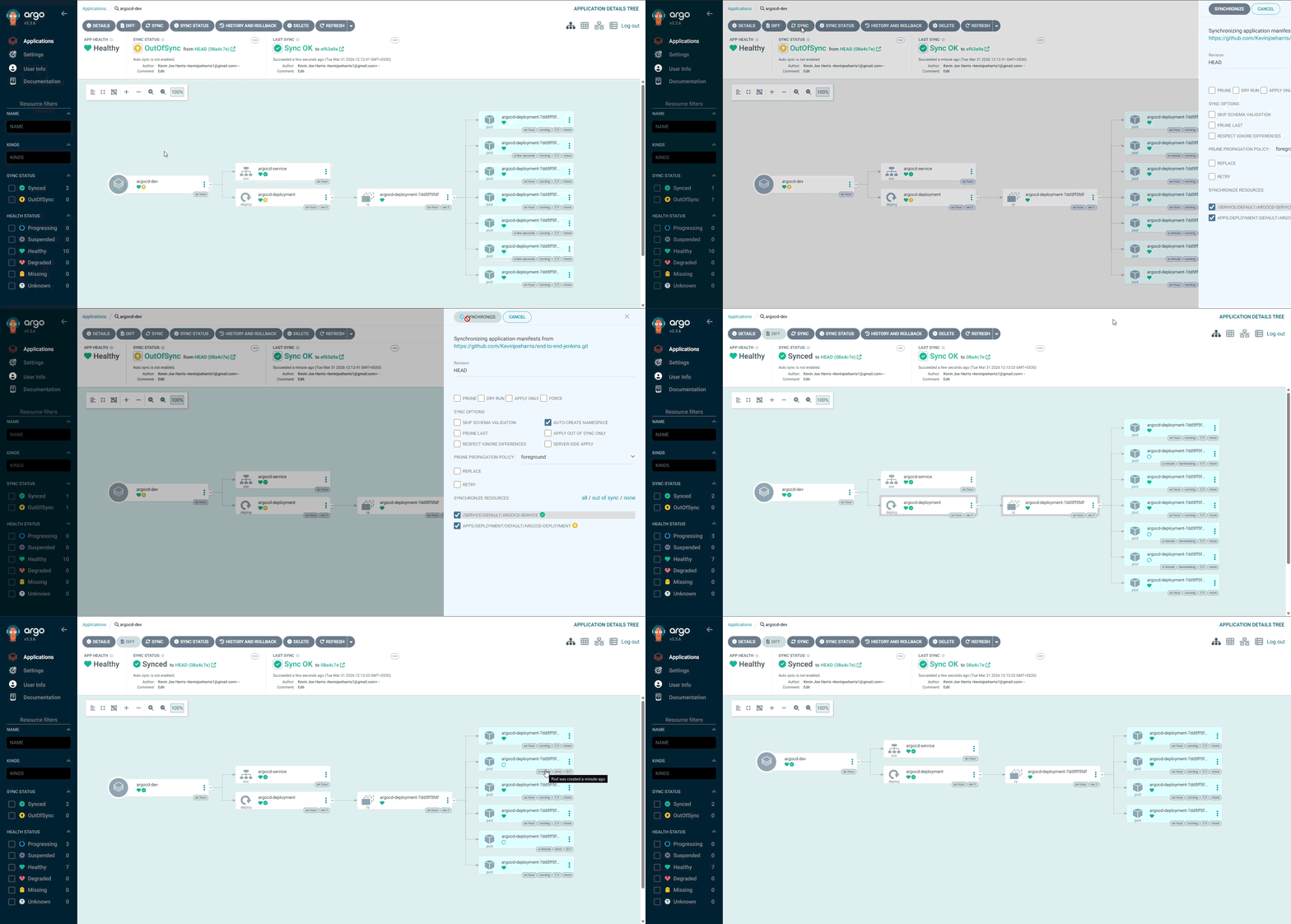
Argo CD Application resource tree view
Why Argo CD is called a declarative GitOps tool?
This is because Argo CD follows a declarative approach. With a declarative approach, you describe the state you want rather than listing the steps to create it. Instead of applying changes directly with imperative commands such as kubectl apply or helm install, you commit Kubernetes manifests, Helm charts, or Kustomize configuration to a Git repository. Argo CD uses that configuration as the desired state for the application.
Argo CD is called a GitOps tool because it follows 4 pillars of GitOps principles. Lets look at it below:
GitOps principles
- Git as the source of truth: Git stores the desired configuration for the resources managed by Argo CD. Changes can be reviewed and tracked through the repository's normal workflows.
- Pull-based delivery: Argo CD runs in the Kubernetes cluster or in a dedicated management cluster. It polls Git or responds to webhooks, then pulls configuration inward. This avoids requiring an external CI runner to push manifests directly to the cluster.
- Drift detection and reconciliation: Argo CD compares the live cluster state with the desired state from Git. Differences are reported as
OutOfSync; automatic correction depends on the application's sync settings. - Versioned and auditable changes: Git commits record configuration changes and can be linked to authors and reviewed pull requests. To roll back a change, revert the relevant commit and let Argo CD reconcile to the reverted state.
Think of Argo CD as a controller that keeps checking whether the cluster matches the configuration in Git. It can report drift, and—when automatic sync is configured—work to bring managed resources back in line.
Argo CD architecture and core components
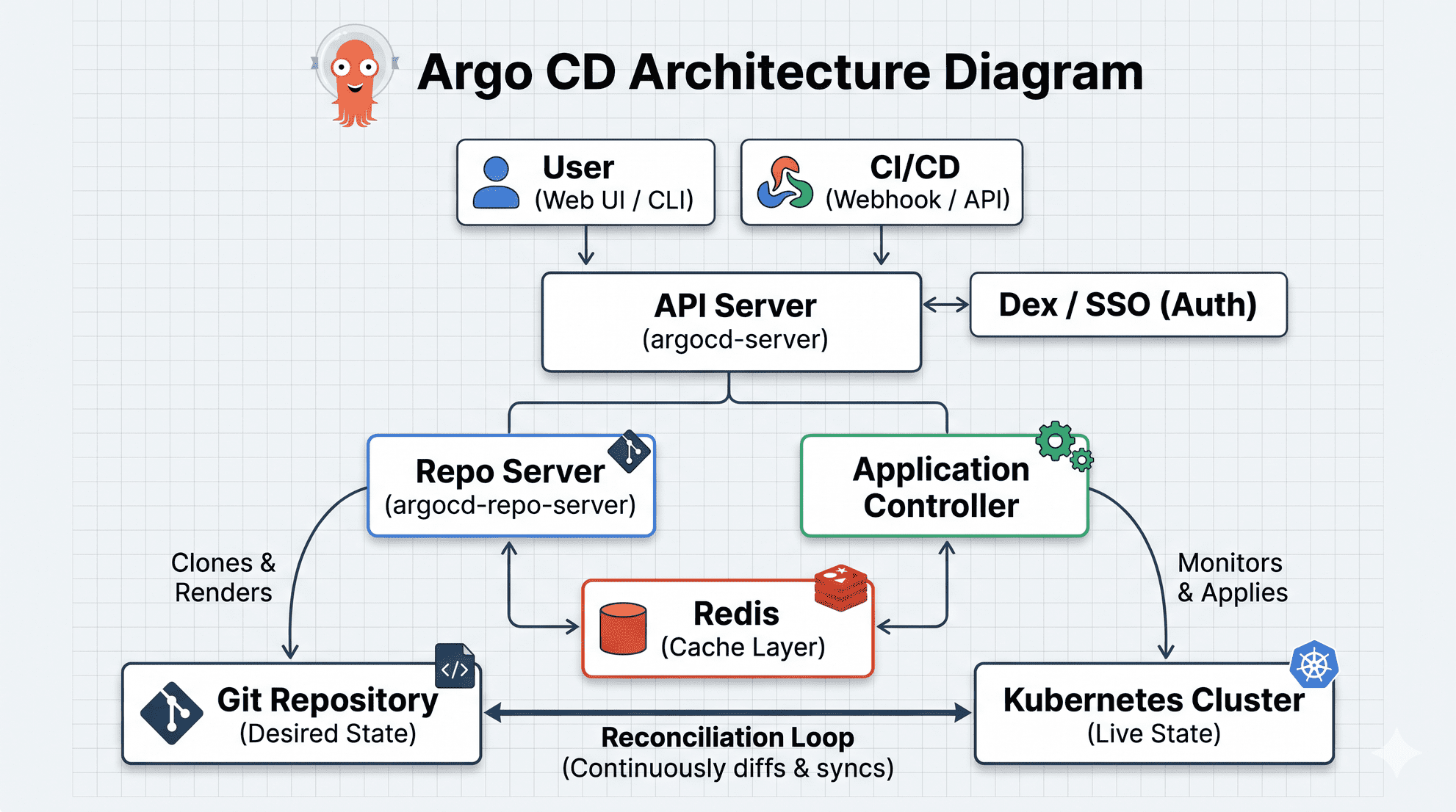
High-level Argo CD architecture
Argo CD separates the user-facing API, manifest generation, and cluster reconciliation into distinct components:
- API Server (
argocd-server): Exposes the gRPC and REST APIs used by the web UI and CLI. It handles user operations such as syncs and rollbacks, and applies configured access controls. - Repository Server (
argocd-repo-server): Fetches repository content and renders manifests from Helm, Kustomize, Jsonnet, or plain YAML sources. - Application Controller (
argocd-application-controller): ReconcilesApplicationresources by comparing desired manifests with live cluster state. It reports sync and health status and performs sync operations when requested or configured. - ApplicationSet Controller: Generates Argo CD
Applicationresources from templates and generators. This helps manage many applications across environments, repositories, or clusters. - Redis: Provides in-memory caching used by Argo CD to reduce repeated work, including caching rendered manifests and cluster API data.
- Dex: An optional OpenID Connect (OIDC) identity broker that can connect Argo CD to external identity providers such as GitHub, Okta, GitLab, or Google.
ApplicationSets: managing multiple environments
An ApplicationSet can generate multiple Argo CD Application resources from one template and a set of inputs. The examples below show the difference between maintaining a separate manifest for each environment and using one ApplicationSet definition.
The hard way: one Application per environment
Without an ApplicationSet, each environment has its own Application manifest. For a service named my-app, the three files might look like this:
dev-app.yaml
apiVersion: argoproj.io/v1alpha1
kind: Application
metadata:
  name: my-app-dev
spec:
  source:
    repoURL: 'https://github.com/my-org/my-app.git'
    path: envs/dev
  destination:
    server: 'https://dev-cluster.example.com'
staging-app.yaml
apiVersion: argoproj.io/v1alpha1
kind: Application
metadata:
  name: my-app-staging
spec:
  source:
    repoURL: 'https://github.com/my-org/my-app.git'
    path: envs/staging
  destination:
    server: 'https://staging-cluster.example.com'
prod-app.yaml
apiVersion: argoproj.io/v1alpha1
kind: Application
metadata:
  name: my-app-prod
spec:
  source:
    repoURL: 'https://github.com/my-org/my-app.git'
    path: envs/prod
  destination:
    server: 'https://prod-cluster.example.com'
This approach is straightforward for a small number of targets, but the repeated configuration grows quickly. For example, 20 services across five clusters could require 100 separate Application manifests to maintain.
The smart way: one ApplicationSet with generators
An ApplicationSet defines the input data and the application template separately:
- Generators (the data): Define which environments, clusters, or repositories to target.
- Template (the blueprint): Define the Application structure and use parameters such as
{{environment}}and{{cluster_url}}.
apiVersion: argoproj.io/v1alpha1
kind: ApplicationSet
metadata:
  name: my-app-fleet
spec:
  # 1. THE DATA
  generators:
    - list:
        elements:
          - environment: dev
            cluster_url: https://dev-cluster.example.com
          - environment: staging
            cluster_url: https://staging-cluster.example.com
          - environment: prod
            cluster_url: https://prod-cluster.example.com

  # 2. THE BLUEPRINT
  template:
    metadata:
      name: 'my-app-{{environment}}'
    spec:
      source:
        repoURL: 'https://github.com/my-org/my-app.git'
        path: 'envs/{{environment}}'
      destination:
        server: '{{cluster_url}}'
The ApplicationSet Controller processes the generator entries and creates a separate Argo CD Application for each one: my-app-dev, my-app-staging, and my-app-prod. To add another target, add an entry to the generator list; the controller then generates the corresponding application from the same template.
The key benefit is less duplicated application configuration: environment-specific values live in the generator data, while the common structure stays in one template.
Step-by-step workflow: how Argo CD works
- Declare Desired State: Commit Kubernetes manifests, Helm charts, or Kustomize configuration to Git. Configure an Argo CD Application to watch the relevant repository path and target cluster.
- Fetch & Render: The Repository Server fetches the source and renders it into Kubernetes manifests. Argo CD can cache rendered output and related data to avoid repeating work unnecessarily.
- Diffing / Reconciliation: The Application Controller compares the rendered desired state with the live cluster state. If they differ, the application is reported as
OutOfSync; detection occurs as Argo CD performs its reconciliation checks. - Syncing & Pruning: An engineer can start a sync manually, or Argo CD can sync automatically if that behavior is configured. During a sync, Argo CD applies the desired manifests. If pruning is enabled, resources removed from Git can also be deleted from the cluster.
- Health Monitoring: Argo CD continues to assess application and resource health using its health checks. The UI reports conditions such as whether workloads are healthy or need attention; specific checks depend on the resource and any custom health configuration.
By separating manifest rendering (argocd-repo-server), cluster state reconciliation (argocd-application-controller), and multi-environment templating (ApplicationSet), Argo CD turns Kubernetes delivery into a predictable, auditable workflow. Instead of chasing down manual kubectl drift across clusters, your team can manage every environment straight from Git pull requests.
Now that the architecture and core concepts are clear, Part 2 will get hands-on—covering installation, initial setup, and walking through a real deployment workflow.
How are you structuring your Argo CD repositories today, or what specific topics would you like to see covered next in the series? Let me know in the comments!
Comments
Join the discussionThe ApplicationSet comparison is the most useful part here. Seeing the three separate Application files next to the single generator template makes the duplication cost concrete, and your point about environment values living in the generator rather than in copied manifests is the part teams usually learn the hard way. One thing I would add from experience is to decide early whether sync is manual or automated per environment, since that choice changes how drift shows up in the reconciliation loop you describe in step 3. Looking forward to part 2 and the hands-on install.
Appreciate the feedback! Completely agree on deciding syncPolicy early—treating OutOfSync as an auto-healing trigger in dev versus an explicit approval gate in prod makes a huge difference in how teams interact with the reconciliation loop. Definitely planning to cover that hands-on in Part 2!
Mastering Argo CD & GitOps
A practical, step-by-step series covering Argo CD and declarative GitOps on Kubernetes—starting from core architecture and reconciliation fundamentals to hands-on setup and real-world deployment patterns.